The Real Estate Social Media Video App for Reels, TikTok and Shorts
What is a real estate social media video app and how does PhotoAIVideo do it?
A real estate social media video app turns listing photos into short clips sized for Instagram Reels, TikTok, YouTube Shorts and Facebook. PhotoAIVideo animates each photo with camera motion, adds music, captions and optional AI voiceover, then exports vertical 9:16, square 1:1 and horizontal 16:9 files from one project, with no filming.
Updated · By Zach Calhoon, Founder
One aerial still, one scroll-stopping clip
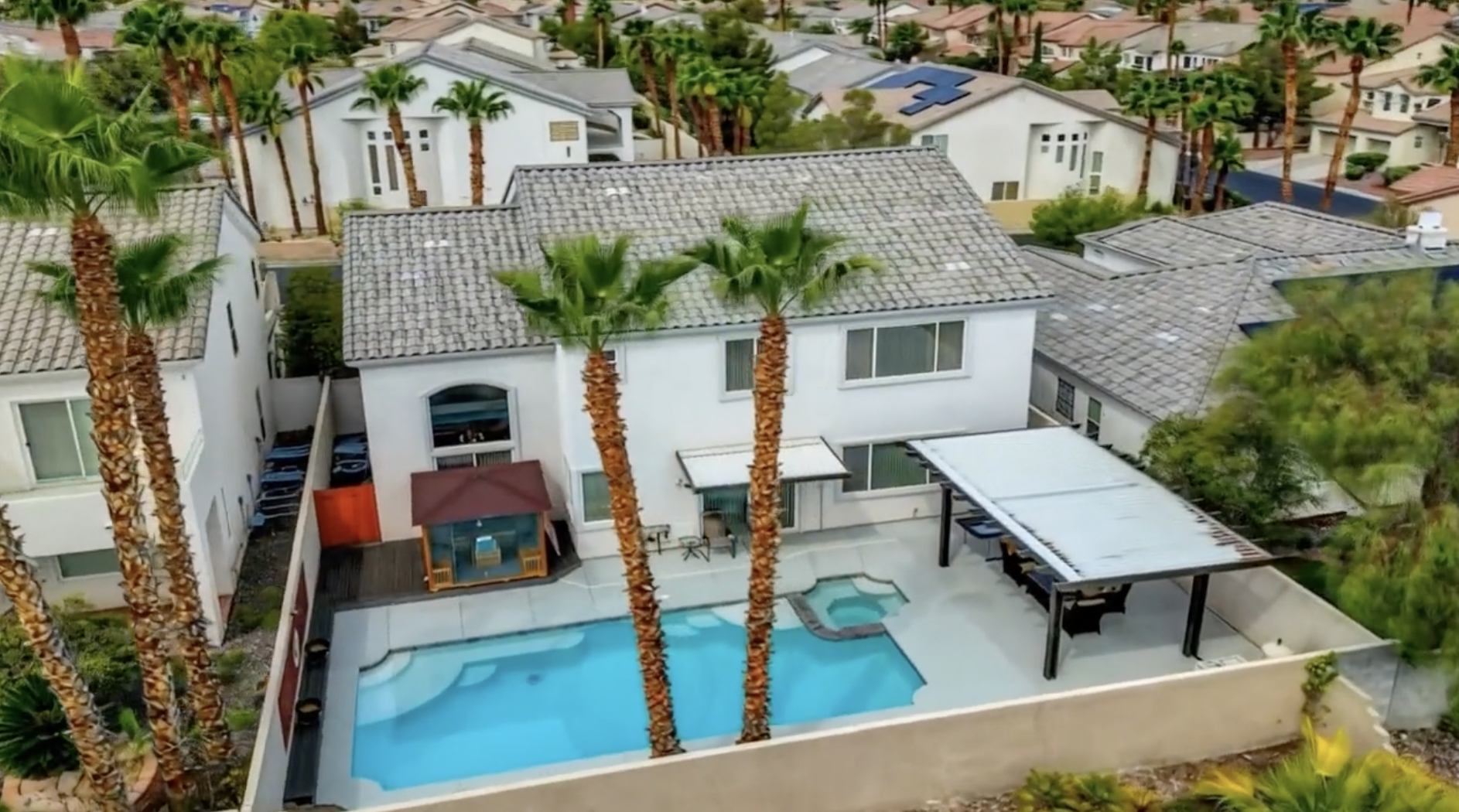
On the left is a single drone photo of a Las Vegas backyard: pool, spa, palms, patio. On the right is the video PhotoAIVideo built from that listing's photos. The landscape cut shown here plays on YouTube and Facebook as is, and the same project exports a 9:16 version for Reels, TikTok and Shorts, so the pool still opens the clip when it is cropped for a phone.
Social video output at a glance
| Aspect ratios | 9:16 for Reels, TikTok and Shorts; 1:1 for feeds; 16:9 for YouTube and Facebook |
|---|---|
| Input | Listing photos as JPG, PNG, HEIC or WebP; no video footage required |
| Sound and text | Licensed music, optional AI voiceover and animated captions for muted viewing |
| MLS option | MLS-Safe Mode adds an unbranded copy alongside the branded social cuts |
| Output | Downloadable video files with no PhotoAIVideo watermark, kept for 30 days |
| Price from | Free plan available; paid plans from $37.50/month |
How do I turn listing photos into social videos?
Four decisions, one render, and a file for every feed you post to.
Drop in the listing photos
Upload 8 to 15 of the strongest shots as JPG, PNG, HEIC or WebP. Lead with the photo you would use as a thumbnail, because that frame becomes the hook.
Pick the pace and the sound
Choose a track from the licensed library, decide whether an AI voice reads the highlights, and keep each scene short so the reel moves at feed speed.
Write the on-screen text
Add captions for the price, the neighborhood and one standout feature. Most people watch the first pass muted, so the words carry the story.
Export every shape at once
Render once and download a 9:16 file for Reels, TikTok and Shorts, a 1:1 file for feed posts and a 16:9 file for YouTube and Facebook. Renders usually take 2 to 5 minutes.
How do I make Instagram Reels from listing photos?
Start with the shoot you already paid for. PhotoAIVideo gives each still a slow push, pan or parallax move, cuts between them on the beat of the track, and outputs a 1080 by 1920 vertical file. Composition matters more than in a landscape tour: wide rooms get cropped at the sides, so pick photos whose subject sits near the center, and keep the price and address text clear of the area Instagram covers with its buttons.
The Instagram reels from photos walkthrough goes shot by shot, and the Reels dimensions and length guide covers safe zones in detail.
What should realtors post on TikTok?
TikTok rewards a person and a point of view more than a polished brochure. Listing clips still work there, but they land better with a spoken or written opinion on top: what surprised you about the house, who it suits, what the same money buys two streets over. Keep the first frame busy enough to stop a thumb and the text short enough to read in one glance.
When the pipeline is empty, real estate TikTok ideas come from the market itself: rate changes explained plainly, a tour of a neighborhood's weekend spots, or a quick breakdown of closing costs. The TikTok video maker for realtors page shows how these are assembled from stills.
Are YouTube Shorts worth it for real estate agents?
Shorts are worth it if you also want a YouTube presence, because they surface in search and on the channel page for years, while a Reel mostly lives in the week it is posted. The vertical file you made for Instagram uploads to Shorts unchanged. Give it a searchable title, such as the neighborhood plus the home type, and link it to a longer horizontal tour of the same listing.
See real estate video for YouTube Shorts and the YouTube channel guide for building a channel around them.
Can I use these clips as real estate video ads on Facebook and Instagram?
Yes, and photo-built clips suit ad testing because a new variation costs a re-render rather than a reshoot. Try two hooks for the same listing, say the kitchen versus the pool, and let the campaign tell you which one buyers stop for. Upload the vertical file for Reels and Stories placements and the square one for the feed.
Housing ads in the United States run under Meta's special ad category, which limits targeting options, so declare it when you set the campaign up. The Facebook ads guide covers placements and creative variations.
What real estate Instagram post ideas work, and is there a reusable listing reel template?
A month of content rarely needs more than these six formats in rotation:
- Just listed: the hook shot, three rooms, the yard, then the price
- Market minute: median price, days on market and inventory for one zip code
- Myth or fact: one first-time buyer misconception, answered in a sentence
- Local spotlight: a bakery, trail or school the buyers in your farm area care about
- Then and now: a past sale's listing photos next to its sold sign
- Client story: a closing-day moment, shared with the client's permission
For listings specifically, one structure carries almost any property:
- Hook (first second or two): the single best photo plus a short line of text
- Exterior: the front elevation or an aerial so viewers place the home
- Three rooms: kitchen, main living space and the strongest bedroom or bath
- Outdoor or view shot: the feature buyers will screenshot
- Close: price, area and one clear next step
Save the music choice, caption style and brand kit once, and each new listing becomes a photo swap. Followers start to recognize the format, which is half the point of a template.
How do I choose the best reel app for real estate?
Judge it on your actual inputs and outputs. If you have photos rather than footage, the app needs to animate stills well instead of only trimming clips. It should export 9:16 without adding its own watermark, produce an unbranded copy for the MLS, and handle captions and voice in the same place so a reel is not split across three tools. Batch speed matters more than effects: the app you will open every week beats the one with the longest filter list.
The best reel app for real estate comparison runs through the common options against those criteria.
When and how often should I post real estate reels?
Nobody else's chart knows your audience, so treat any “best time” list as a starting hypothesis. Open Instagram Insights, TikTok Analytics or Meta Business Suite, find the hours your followers are most active, and post into that window for three or four weeks. Compare reach and saves by slot, keep the winner, and test again when the season or your audience changes.
Cadence follows the same logic. Pick a rhythm you can hold through a slow month, because gaps cost more than a slightly lower frequency. Building a batch of clips in one sitting, then scheduling them, is what makes a consistent pace realistic for a working agent.
PhotoAIVideo vs editing reels yourself vs a videographer
The three realistic ways agents get short-form video, judged on what a weekly posting habit actually needs.
| Criterion | PhotoAIVideo | Editing reels manually (CapCut or phone) | Hiring a videographer |
|---|---|---|---|
| Time per listing reel | A few minutes of choices, then a 2 to 5 minute render | An evening of trimming, timing and text placement | A booked shoot plus days of editing turnaround |
| Cost | Free plan to start; paid plans from $37.50/month | Low app cost, high cost in your own hours | The highest of the three, quoted per property |
| Footage needed | None; the listing photos are the input | Phone clips, or stills you animate by hand | A fresh on-site shoot |
| Platform versions | 9:16, 1:1 and 16:9 from one project | Each aspect ratio reframed and re-exported separately | Usually one master cut unless extras are ordered |
| Captions and voice | Animated captions and optional AI voiceover built in | Typed and timed manually; voice recorded yourself | Depends on the package |
| MLS-safe version | Unbranded export via MLS-Safe Mode | A second edit with branding removed by hand | A separate deliverable on request |
Manual editing gives total control, and a videographer gives original footage; a photo-based app wins when you need several platform versions of every listing, every week. For a deeper look at app choices, read the roundup of photo-to-social-video apps.
Explore Reels, Shorts & Social
Instagram Reels
- AI real estate reels makerListing reels generated from a photo set.
- Reels for each listing momentComing soon through sold, one reel per milestone.
- AI Instagram reel makerVertical reels for any account, not only agents.
- Instagram reels for realtorsReel formats tuned for agent profiles.
- Reels generator for realtorsBatch reels for a steady posting rhythm.
- Listing reels for new agentsA first-listing reel without an editing background.
- Instagram reels from photosTurning stills into a reel, shot by shot.
- Photo to vertical reelReframing horizontal photos for 9:16.
- Vertical videos for ReelsWhy vertical framing wins in the Reels tab.
- Reels dimensions and lengthPixel sizes, safe zones and length choices.
- Create a reel with AIA step-by-step build of one listing reel.
TikTok
YouTube Shorts
- Real estate video for ShortsListing Shorts that feed a channel.
- Shorts generator for realtorsShorts built around an agent's market.
- AI YouTube Shorts generatorShorts from photos for any niche.
- Real estate YouTube ShortsFormats and topics that suit Shorts.
- Make a Short from listing photosFrom upload to published Short.
Facebook & ads
- Video for Facebook adsAd creative cut for Meta placements.
- Video ads generatorSeveral ad variations from one listing.
- Google Ads listing videoPerformance Max cuts and US/Canada housing targeting.
- Real estate video for FacebookOrganic posts, groups and Facebook Reels.
- Market update videoA monthly numbers recap for your farm area.
- Neighborhood tour videoLocal spots, streets and amenities on video.
- Nextdoor real estate videoSquare, captioned cuts for neighbors near the listing.
- Real estate video for ThreadsText-first posts, room-by-room carousels and the AI label.
- Listing video on WhatsAppStatus cuts, chat sends with a full-quality link and API files.
Guides
- Best reel app for real estateHow the main reel apps compare for agents.
- Reel appA reel app that starts from photos.
- Social videos for realtorsContent types across every platform.
- AI video for social mediaSocial clips beyond real estate.
- Captions and subtitlesReadable text for sound-off viewers.
- How to create real estate reelsA practical reel-making walkthrough.
- Apps for photo to social videoA roundup of photo-to-video apps.
- Instagram real estate guideReels, Stories and feed video together.
- Social video formatsAspect ratios and sizes by platform.
- YouTube channel guideGrowing a real estate channel.
Frequently Asked Questions
Fill this week's feed from one photo shoot
Upload a listing, pick a track, and leave with a vertical reel, a square post and a landscape cut. You can start on the free plan without a card.