Unbranded Virtual Tour Video From Your Listing Photos
What is an unbranded virtual tour video and how do you make one from listing photos?
An unbranded virtual tour video is a property-only walkthrough with no agent name, logo, phone number, brokerage or contact slide, made for the MLS's unbranded tour field. With PhotoAIVideo you upload listing photos, generate the tour, switch on MLS-Safe Mode and attach that clean version to the listing.
This page is about one slot on the listing form: the tour field. For what makes any listing video acceptable to a board, start with our MLS-compliant video software guide.
Tour field names, accepted formats and branding limits are set by each MLS. Use this as a starting point and confirm the details with yours.
Updated · By Zach Calhoon, Founder
Photos in, tour video out
This modern single-family home was shot once, as stills. The living room on the left is one frame from that set; the 78-second, 16:9 tour on the right was generated from it with no return visit.
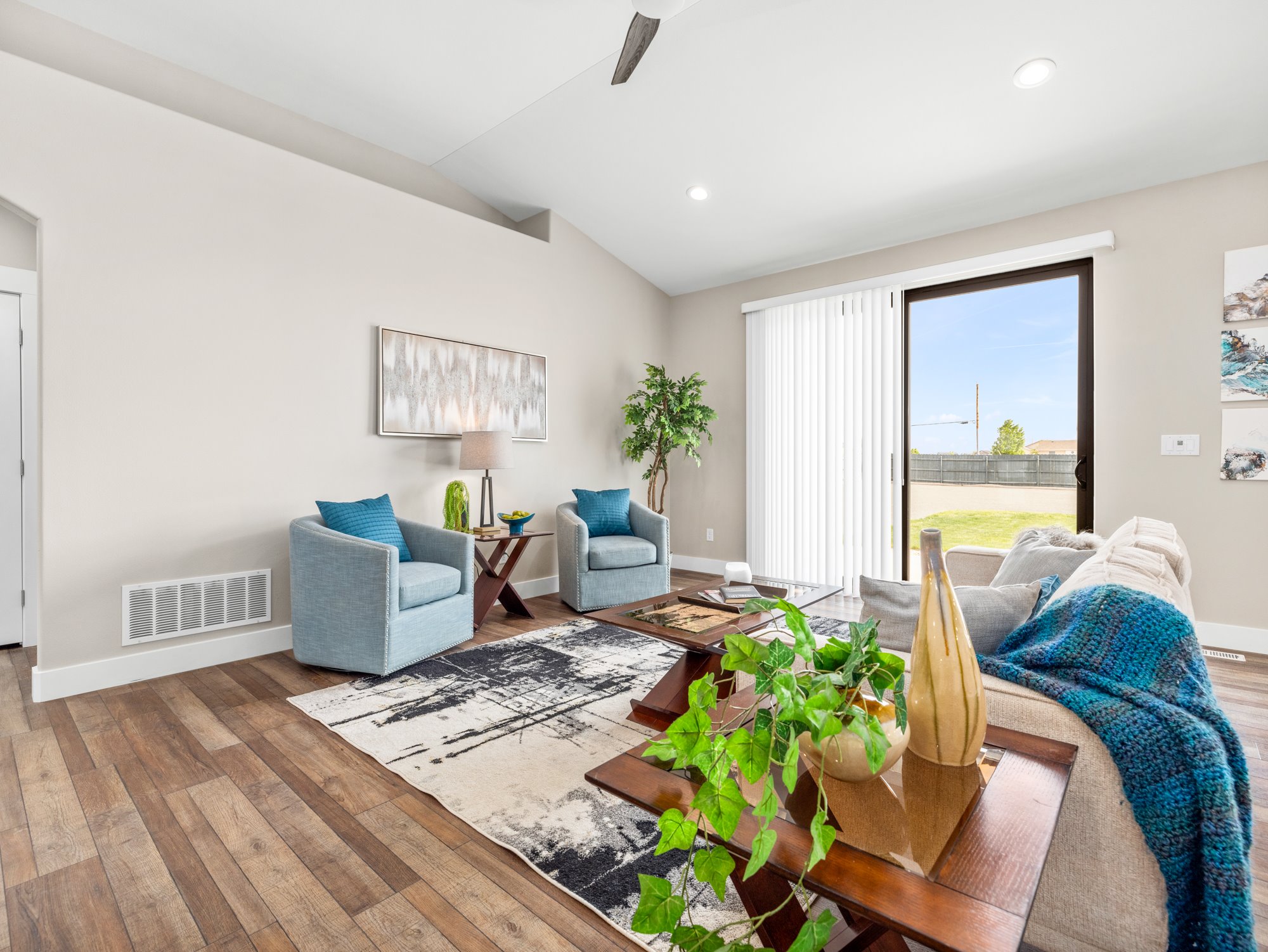
For the unbranded version of a tour like this, MLS-Safe Mode leaves these out of the export:
- Agent headshot
- Logo
- Phone number
- Email address
- Social handles
- Closing contact card
Unbranded tour video at a glance
| Input | Listing photos as JPG, PNG, HEIC or WebP |
|---|---|
| Output formats | Horizontal, vertical and square video |
| Render time | Most tours finish in 2 to 5 minutes |
| Unbranded version | MLS-Safe Mode toggle; no PhotoAIVideo watermark on any plan |
| Delivery for MLS | Unbranded MP4 file, or a link to an unbranded hosted copy where the field only takes a URL |
| Price from | Free plan to start; paid from $37.50/month billed annually. See pricing |
What belongs in the MLS virtual tour field?
Many listing forms carry a slot labelled "virtual tour" or "unbranded tour URL", and some split it into branded and unbranded. The unbranded one travels furthest, into member searches and syndicated sites, so it should show the home and nothing else. That includes the page a link opens: a spotless MP4 under a channel banner with your phone number still reads as branded.
Field names, accepted formats and enforcement are set locally, so the MLS unbranded virtual tour requirements on your board are the ones that count. Open your MLS's media rules once and note three things: whether the tour field wants a URL or a file, what a linked page may display, and whether narration is allowed.
How do you make an unbranded tour link for the MLS?
Five steps from the photo folder to a tour that sits quietly in the right field.
Upload the listing photos
Add the shoot as JPG, PNG, HEIC or WebP files. High-resolution images, ideally 1080p or larger, give the tour the cleanest motion.
Generate the tour video
Pick the camera moves and a track from the built-in music library, then let it render. Most tours are ready within two to five minutes.
Switch on MLS-Safe Mode
This toggle creates the unbranded version of the same tour, without your headshot, logo, phone, email, social handles or closing card. Mute narration as well if your board frowns on voices.
Download the file or prepare a link
Save the unbranded MP4. If your tour field only takes a URL, put that file on a host whose page shows nothing besides the video, and copy its address.
Paste it into the virtual tour field
Enter the link in the unbranded tour field, or upload the file where your system takes video, then open the listing as a buyer would and play it once.
Unbranded virtual tour video vs. an interactive 3D/360 tour
Both get called a "virtual tour". PhotoAIVideo makes a linear, photo-based video tour, not an interactive 360 or hotspot tour; that is the job of CloudPano, our sister product.
| Aspect | Unbranded video tour | Interactive 3D/360 tour |
|---|---|---|
| What the buyer gets | A guided, linear film that plays start to finish, like walking the house behind someone | A space the buyer steers, clicking hotspots to jump between rooms in any order |
| What you need | The listing photos you already have; no return trip to the property | A 360 camera or capture rig and time on site while the home is empty |
| Who makes it here | PhotoAIVideo | CloudPano, our sister product for interactive 360 tours |
| Where it usually goes | An unbranded tour URL field, or a video upload area where the system offers one | A virtual tour URL field, as a link to the hosted tour viewer |
Use the video to set the pace for phone scrollers, or when a home was photographed but never scanned; use the interactive tour when buyers want to check how rooms connect. Two tour slots can hold one of each.
What counts as branding in an unbranded tour?
Boards draw the line differently, so check each item against your own MLS rules. Play the tour once before saving and look for:
- Logos, including your brokerage mark and any team badge
- Your name spoken or shown, a face-to-camera intro, or a voice introducing you
- Phone numbers in captions, lower thirds or the final frame
- Email addresses and website URLs, even partially visible
- The brokerage name anywhere in titles or credits
- QR codes that lead to your site or a lead form
- Closing "call me" or "book a showing" cards
- Watermarks from the editing app or the host that plays the video
PhotoAIVideo never adds a watermark of its own on any plan, so the last item only matters for the host you choose when the field needs a link.
Frequently Asked Questions
Fill the tour field on your next listing
Upload the photos you already have and keep the clean cut for the MLS.